
I've seen businesses with beautifully documented processes.
There are folders.
There are templates.
There are flowcharts.
There are step-by-step documents.
Everything looks organised.
And yet, when you ask an employee how something is actually done, the answer is often:
“We don't really follow that. We have our own way.”
That is when you realise something important.
Creating an SOP and creating a useful SOP are two very different things.
An SOP should make someone's work easier.
It should reduce questions, avoid repeated mistakes and make it easier for another person to take over the work.
If employees have to open a 20-page document every time they need to complete a routine task, the SOP probably isn't doing its job.
So, what makes an SOP actually useful?
For me, it comes down to one simple question:
Can a reasonably trained employee complete the task correctly by following the SOP without having to ask someone what to do next?
If the answer is no, the SOP needs improvement.
Here are the things I would look at.
1. Start with the actual work, not the document
One of the biggest mistakes is writing an SOP based on how management thinks the process works.
Instead, watch the person who actually does the work.
Ask:
What do you do first?
What happens next?
Where do you check the information?
What happens if something goes wrong?
Who do you contact?
What exceptions do you commonly face?
You will often discover that the real process is very different from the process someone wrote down six months ago.
Document the work that actually happens first. Then improve it.
2. One SOP should solve one clear problem
Avoid creating an SOP called:
“Complete Customer Management Process.”
That could contain twenty different activities.
Instead, break it down.
For example:
New Customer Onboarding
Customer Payment Verification
Customer Welcome Communication
Customer Follow-up Process
Customer Complaint Escalation
Each SOP should answer one clear question:
“What do I need to do when this situation occurs?”
That makes the document much easier to use.
3. Write it for the person doing the job
An SOP isn't written for the founder.
It isn't written for the auditor.
It isn't written to make the company look organised.
It is written for the person who has to do the work.
So instead of writing:
“The concerned stakeholder shall initiate the customer onboarding workflow upon receipt of the requisite documentation.”
Write:
“Once the customer's payment is confirmed, the Accounts team updates the payment status and informs the Operations team.”
Simple.
Clear.
Action-oriented.
The person reading it should immediately understand what they need to do.
4. Tell people who does what
This is one of the most important parts of an SOP.
Don't just explain the steps.
Define ownership.
For every important step, the employee should know:
Who does it?
When do they do it?
What information do they need?
Where do they record it?
Who checks it?
What happens after that?
A simple table can sometimes be more useful than three pages of explanation.
| Step | Activity | Owner | Output |
|---|---|---|---|
| 1 | Verify payment | Accounts | Payment confirmed |
| 2 | Update customer record | Operations | CRM updated |
| 3 | Send welcome message | Customer Support | Customer informed |
| 4 | Schedule onboarding | Operations | Session booked |
Now everyone knows where their responsibility begins and ends.
5. Don't forget the exceptions
This is where many SOPs fail.
The normal process is usually easy to document.
But real work isn't always normal.
What happens when:
The customer hasn't paid?
The payment is received but not reflected?
The employee responsible is on leave?
The customer gives incomplete information?
The system is unavailable?
A customer asks for something outside the standard process?
These situations need guidance too.
You don't need to document every possible scenario.
But document the common exceptions and escalation points.
That is what reduces dependence on the founder or manager.
6. Make the SOP easy to find
This sounds obvious, but it matters.
If an employee has to search through:
Google Drive → Folder → Department → Old SOP → Subfolder → Version 3 → Final → Final Updated
they are probably going to ask someone instead.
The SOP needs a clear home.
And everyone should know where that home is.
For example:
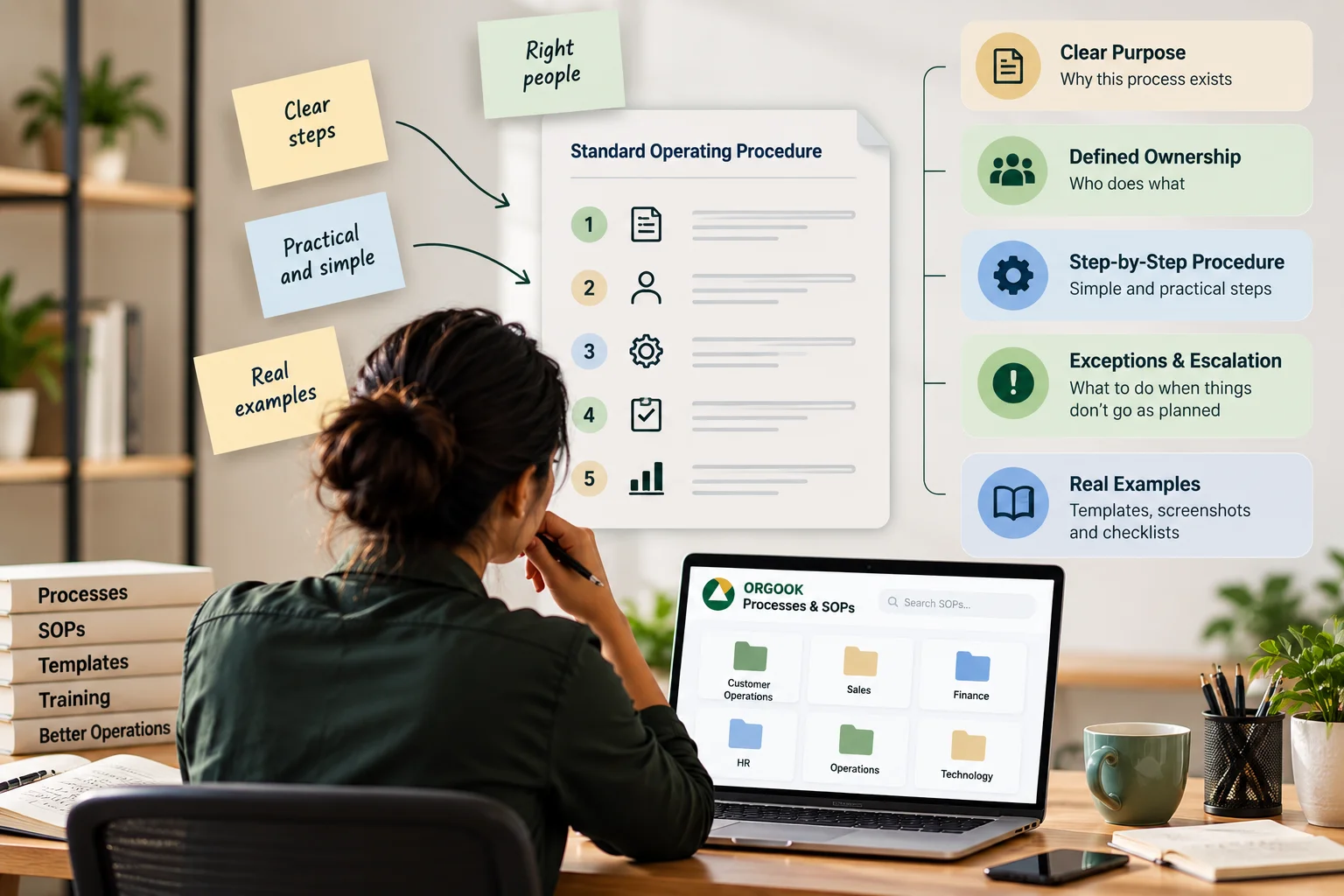
ORGOOK Operations Hub
→ Customer Operations → Finance → HR → Sales → Technology
Within each area:
Current SOPs
Templates
Forms
Reference Documents
The exact structure can differ from business to business.
The important thing is that people know where to look.
7. Use screenshots and examples wherever they help
Some processes are much easier to understand visually.
If someone needs to update a CRM field, show them where.
If they need to create a report, show them an example.
If they need to fill a form, show them a completed version.
Instead of writing:
“Update the customer status in the appropriate field.”
Show the employee:
Customer Status → Select → Active
A good SOP should reduce the amount of interpretation required.
8. Don't make every SOP a 20-page document
Long doesn't mean useful.
For a simple recurring task, one or two pages may be enough.
A useful structure could be:
Purpose
Why does this process exist?
When to use it
When should the employee follow it?
Owner
Who is responsible?
Steps
What needs to be done?
Exceptions
What happens when something doesn't go as expected?
Escalation
When should the employee ask for help?
Checklist
How does the employee know the task is complete?
That's often enough.
9. Test the SOP with someone who didn't create it
This is one of the best tests.
Give the SOP to another employee.
Don't explain anything.
Ask them to perform the task using only the SOP.
Then watch.
Where do they stop?
What do they ask?
What do they misunderstand?
Which step do they skip?
What information do they look for?
Those questions are incredibly valuable.
Because if the person who wrote the SOP has to explain it verbally, the SOP isn't complete yet.
10. Treat SOPs as living documents
Businesses change.
People change.
Technology changes.
Customers change.
So your SOPs will change too.
Don't create an SOP and forget about it.
Add:
Owner
Version
Effective date
Last reviewed
Next review
That makes it clear whether the document is still current.
And when a process changes, update the SOP at the same time.
Not three months later.
The biggest mistake: creating SOPs for the sake of documentation
I think this is where businesses sometimes go wrong.
Someone says:
“We need SOPs.”
So the team starts writing SOPs.
Twenty documents are created.
Everyone feels productive.
But six months later, nobody opens them.
Why?
Because the business didn't actually solve the underlying problem.
The goal of an SOP isn't to create documentation.
The goal is to create consistency.
A good SOP should answer five questions
Whenever I review a process, I like to ask:
1. What needs to be done?
The activity should be clear.
2. Who does it?
There should be one clear owner.
3. When does it happen?
The trigger or timeline should be defined.
4. What happens if something goes wrong?
Exceptions and escalation should be clear.
5. How do we know it is complete?
There should be a clear output or checkpoint.
If an SOP can answer these five questions, it is already much more useful.
And there is one more thing I would add
Ask the employees who use the SOP what they think.
They are the ones closest to the process.
Ask:
“What part of this is difficult to follow?”
“What information is missing?”
“Which step takes the most time?”
“What situation isn't covered here?”
You may find that the employee has a better way of doing the work.
That's not a problem.
That's an opportunity to improve the process.
My thought
I don't believe businesses need hundreds of SOPs.
They need the right SOPs.
The ones that remove confusion.
The ones that make ownership clear.
The ones that help a new employee understand the work.
The ones that prevent the same mistakes from happening again.
And most importantly, the ones people can actually use when they are doing the work.
Because the real test of an SOP isn't:
“Is it documented?”
It is:
“Does the work happen better because it exists?”
If the answer is yes, you have built a useful system.
If the answer is no, you may simply have created another document.
Good operations are not about having more processes. They're about making the right processes easier to follow.
Vinitaa Vinod
Founder, ORGOOK Solutions